Model interfaces
trainingPlot
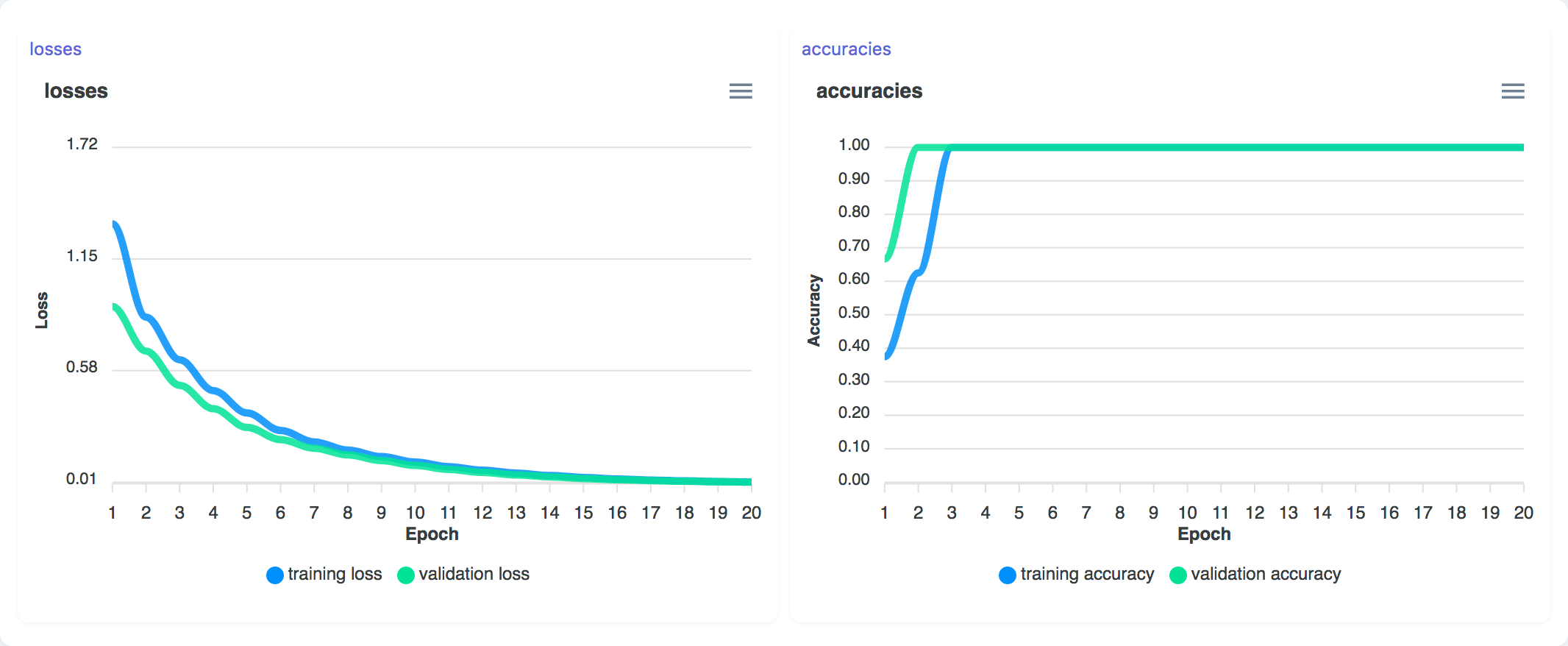
function trainingPlot(m: Model): TrainingPlot;Displays the training/validation loss and accuracies during the training of a neural network.
Parameters
| Option | Type | Description | Required |
|---|---|---|---|
| m | MLP | A neural network providing losses and accuracies in the $training stream during training | ✓ |
Screenshot
Example
const classifier = marcelle.mlp({ layers: [64, 32], epochs: 20 });
const prog = marcelle.trainingPlot(classifier);trainingHistory
function trainingHistory(
  dataStore: DataStore,
  options: {
    metrics?: string[];
    actions?: Array<string | { name: string; multiple?: boolean }>;
  },
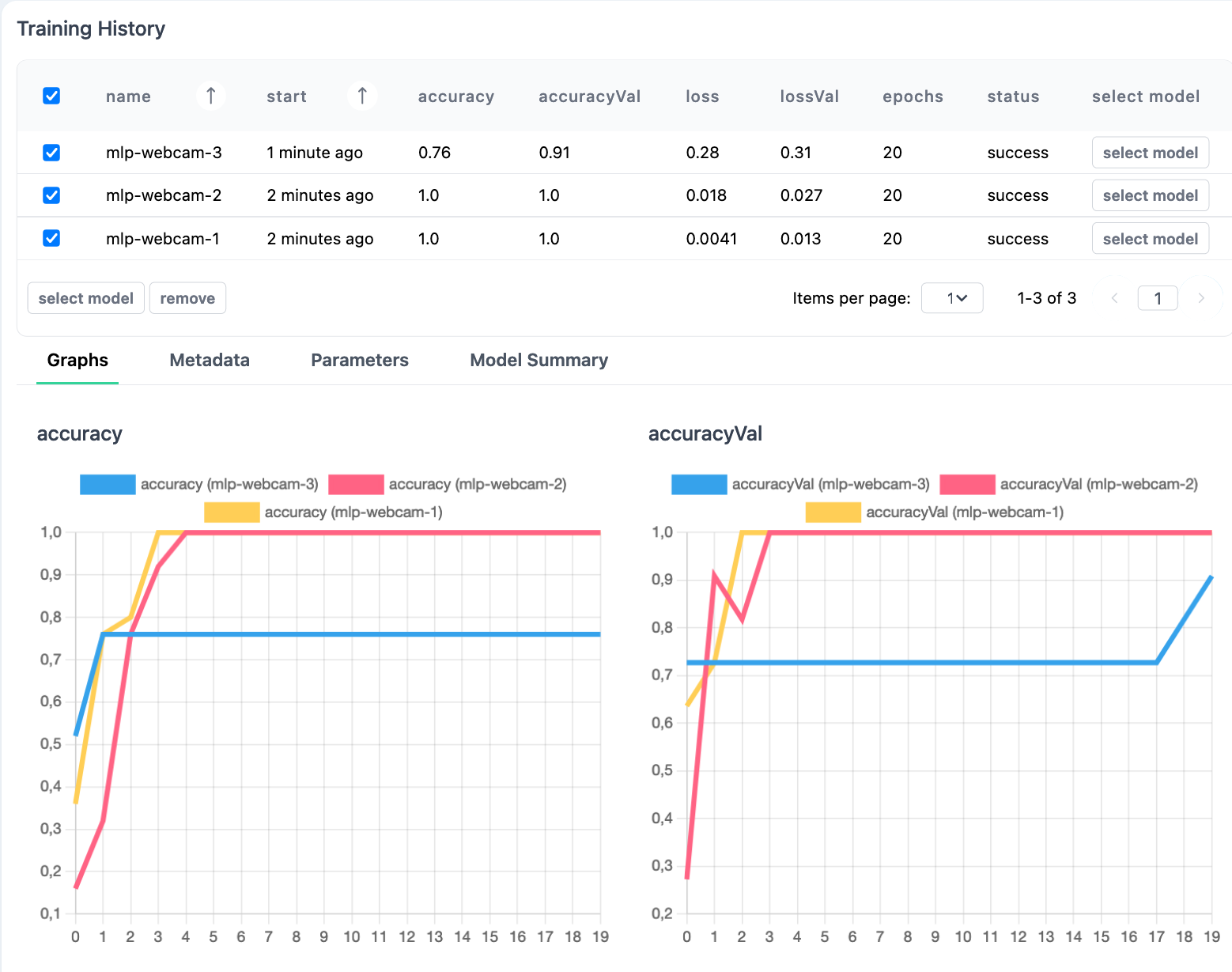
): TrainingHistory;The TrainingHistory component can be used to track and visualize training runs stored in a data store. This component is useful to compare experiments, compare model versions, and revert back to previously trained models. When using Marcelle's Python package, each training run is recorded to a data store, and can be accessed with the TrainingHistory component.
Parameters
| Option | Type | Description | Required |
|---|---|---|---|
| dataStore | DataStore | The dataStore used to store the training runs. | ✓ |
| options.metrics | string[] | The metrics to display in the run comparison table. Defaults to ['accuracy', 'accuracyVal', 'loss', 'lossVal']. | ✓ |
| options.actions | Array<string | { name: string; multiple?: boolean }> | This option defines a set of actions that can be associated with the training runs. Actions are displayed as buttons at the end of each line in the main table and can be applied to selected runs. Actions are passed as an array of either strings (defining the name of each action) or objects (specifying the name and whether or not the action can be applied to multiple selection, i.e. several selected runs). Actions are then exposed using the $actions stream. | ✓ |
Streams
| Name | Type | Description | Hold |
|---|---|---|---|
| $selection | Stream<TrainingRun[]> | Stream of training runs selected through the user interface. | ✓ |
| $actions | Stream<{ name: string; data: TrainingRun }> | Stream of actions triggered by the user through the associated buttons. Each event is an object containing the action's name and the associated training run(s) in the data field. |
Training runs and model checkpoints have the following interfaces:
export interface TrainingRun {
  id?: ObjectId;
  name: string;
  basename: string;
  start: string;
  status: TrainingStatus['status'];
  epoch?: number;
  epochs?: number;
  params?: Record<string, unknown>;
  logs?: TrainingStatus['data'];
  checkpoints?: Array<ModelCheckpoint>;
  model?: {
    summary?: string;
    [key: string]: unknown;
  };
  [key: string]: unknown;
}

export interface ModelCheckpoint {
  id: ObjectId;
  name: string;
  service: string;
  metadata?: Record<string, unknown>;
}Methods
.track()
track(model: Model<InputType, OutputType>, basename = 'anonymous'): TrainingHistoryStart tracking a given machine learning model. Every time the model is trained, the run will be recorded to the data store and displayed in the trainingHistory component. A name basename can be given to the model, so that training runs are named basename-<run index>.
Screenshot
Example
const hist = trainingHistory(store, {
  actions: ['select model'],
}).track(classifier, 'mlp-webcam');

hist.$actions.subscribe(({ name, data }) => {
  console.log(`Action [${name}]`, data);
});